
Developer Experience: Where Engineering Excellence Becomes Business Value
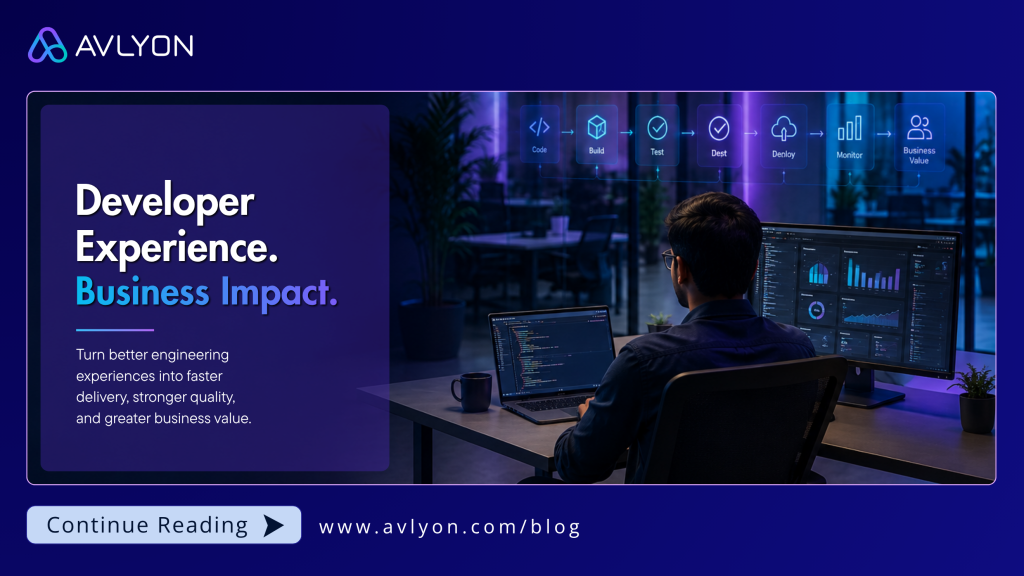
Developer Experience | Engineering Leadership Every company wants velocity. Few invest in the engine. Developer Experience, or DevX, is routinely treated as an internal engineering concern. Organizations talk about faster builds, better development environments, clearer documentation and automated pipelines as though they are simply conveniences for software engineers. The conversation often starts with a simple premise: engineers are more effective when their tools and processes get out of the way. That is true, but it misses the bigger picture. The real question is not simply whether developers experience less frustration. It is whether the way an organization builds software strengthens its ability to compete, execute and deliver value to customers. When viewed through this lens, DevX stops being a developer productivity initiative and becomes a business capability. A mature organization should not think about engineering in isolation. Investments in technology, engineering practices, platforms, AI capabilities and ways of working may begin inside the engineering organization, but their value should not stop there. They should improve delivery, strengthen business outcomes and ultimately create better experiences for clients, customers and end users. Developer Experience is a powerful example of this connection. Where most companies get stuck DevX has a persistent positioning problem. Leadership may hear the term and picture better code editors, expensive platform tooling or engineers optimizing pipelines for marginal efficiency gains. But organizations that deliver products quickly and adapt effectively to changing market conditions are not necessarily those with the largest teams or the biggest technology budgets. They are often the organizations with the least unnecessary friction between an idea and a reliable outcome. When engineering improvements start and end inside the technology team, they can struggle to secure sustained investment. However, when improvements to engineering systems contribute to faster time to market, better quality, more predictable delivery and stronger project economics, the conversation changes. DevX stops looking like an internal cost and becomes an investment in the organization’s ability to execute. This distinction is important because many organizations do not lack talented engineers or modern technologies. What they often lack is a deliberate approach to improving the system around those engineers. As teams and systems grow, small inefficiencies begin to compound, reducing the organization’s ability to turn engineering effort into delivered value. What scaling without DevX looks like The failure to address engineering friction rarely causes a sudden collapse. Instead, it creates a gradual and costly degradation of delivery capacity. A business identifies an urgent client or customer need. Product teams define the requirement, and engineers build the solution. Before that change reaches the customer, however, it may enter a maze of manual steps, fragile environments, slow test pipelines and fragmented documentation. Engineers spend time troubleshooting failed pipelines, requesting access, configuring environments and rediscovering knowledge that exists only in someone else’s head. Two organizations can employ equally talented engineers and adopt similar technologies. One may provide reproducible environments, reliable automated testing, accessible knowledge and clear system ownership, while the other depends heavily on manual handoffs, slow feedback and individual heroics. The headcount may be identical, but the effective engineering capacity is not. The difference lies in the engineering system around the people doing the work. Over time, this friction compounds. Release cycles become longer, small changes feel increasingly risky, and engineers spend more time navigating the delivery system than solving meaningful problems. By the time delayed roadmaps and missed opportunities become visible to leadership, the problem is often much larger than a missing tool. The delivery system itself has become increasingly difficult to change. The true economics of delivery friction Software creates value because it can change. Market priorities shift, security vulnerabilities emerge, regulations evolve, clients refine requirements and customers provide feedback. The ability to modify software safely and predictably is therefore one of the most important capabilities of a modern technology organization. Yet the true cost of a software change is rarely determined by the amount of code alone. It is influenced by the engineering effort required, the complexity of the system and the friction surrounding delivery. A useful way to think about it is: Cost of Change = Engineering Effort + System Complexity + Delivery Friction Some complexity is unavoidable, particularly in enterprise technology environments. However, a significant amount of delivery friction is created by the way organizations design their engineering systems, processes and ways of working. When unnecessary friction is reduced, the benefits can be seen across different delivery models. Protecting fixed-cost delivery economics In fixed-cost engagements, the commercial value of the project is agreed upfront. Every hour spent dealing with avoidable environment problems, manual processes or inefficient delivery workflows consumes engineering capacity. That capacity could otherwise be focused on solving client problems, improving quality or responding to changing needs. DevX helps protect delivery economics by reducing unnecessary internal friction and allowing more of the available engineering capacity to be directed towards meaningful outcomes. The benefit is not simply lower effort. It is a greater ability to convert engineering effort into client value. Compounding long-term product value For long-lived products, delivery friction compounds over time. When deployments are painful, teams tend to release less frequently. Larger and less frequent releases can introduce greater risk. When changes become difficult, improvements are postponed, and when feedback is slow, problems are discovered later. Over time, friction contributes to technical debt, and technical debt creates even more friction. A strong DevX foundation can help reverse this cycle. When changes are easier and safer to make, teams can improve systems continuously rather than waiting for large transformation programmes. The benefit compounds. An improvement to the engineering system today can make every future change easier. Transforming speed into quality Speed and quality are often presented as trade-offs. In a weak engineering system, they can be. Under delivery pressure, teams may reduce testing, postpone automation or take shortcuts that create problems later. That may appear faster in the short term, but the cost has simply moved elsewhere. A defect that could have been identified earlier becomes a production issue. A manual process
Enterprise AI Governance: The Foundation for Trusted Innovation
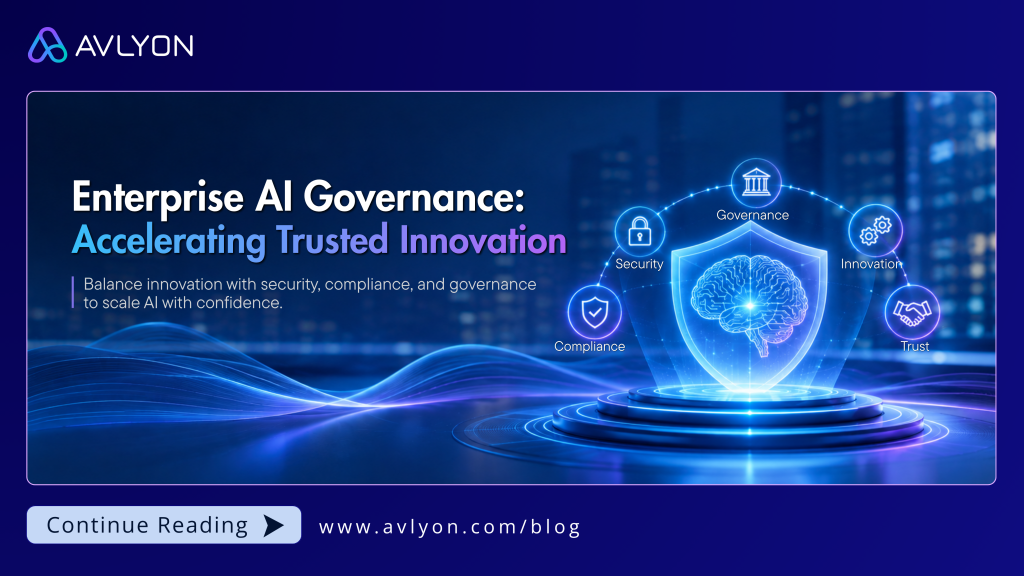
Artificial Intelligence | Enterprise Strategy AI adoption is easy to start and hard to scale. Governance is what separates the two. Every enterprise wants AI. Few are ready to govern it. AI has moved past the pilot stage. Organizations are using it to build products, serve customers, automate operations, and support decisions that used to require a full team. The problem is not adoption. It is what happens after adoption. Different departments pick different tools. Sensitive data gets shared without a clear policy behind it. Compliance requirements shift faster than internal processes can keep up. Security teams inherit risks nobody scoped for. Leadership loses visibility into what is actually running across the business. At that point, the real question stops being “how do we adopt AI” and becomes “how do we govern what we already have.” Where most companies get stuck Governance has a bad reputation. People hear the word and picture approval chains and slow-moving committees. In practice, the companies that scale AI fastest are usually the ones with the clearest governance, not the least. Clear rules about what data can go where, who owns a decision, and how a system gets monitored remove the guesswork that otherwise stalls every new AI initiative at the “can we actually do this” stage. Governance does not replace speed. It is what makes speed sustainable. What scaling without governance looks like The failures rarely show up on day one. They show up once AI use spreads past the first team that adopted it. A sales team feeds customer data into a tool nobody in security reviewed. A finance team automates a decision process with no audit trail behind it. Three business units each license their own AI vendor, and six months later nobody can say which system holds what data, or under what agreement. Then something breaks. A model makes a decision that cannot be explained to a regulator. A vendor changes its data handling terms and the business finds out after the fact. An audit asks who approved a specific AI use case, and the answer is nobody, because no one owned that decision to begin with. None of this looks like a single dramatic failure. It looks like a slow accumulation of small gaps, each one reasonable on its own, that eventually add up to a governance problem the business cannot answer for. By the time leadership notices, the fix is rarely a quick patch. It usually means pulling back systems that are already embedded in daily operations, which costs far more than building the governance from the start. What governance actually requires Strong AI governance is not a security checklist bolted onto existing systems. It has to work across five areas at once: Strategic alignment. Every AI initiative should map to a measurable business outcome, not just a capability someone wanted to try. Data governance. Data quality, privacy, ownership, and access controls need to hold up through the entire AI lifecycle, not just at intake. Security and risk management. AI systems introduce operational, regulatory, and cybersecurity exposure that did not exist in the old stack. That exposure needs an owner. Responsible AI. Transparency, accountability, and human oversight are not optional extras. They are what keep an AI system defensible when something goes wrong. Continuous monitoring. AI performance drifts. Governance has to include a mechanism for catching that drift and correcting course, not just a one-time signoff. Miss any one of these and the other four stop mattering. A company can have airtight data governance and still get blindsided by a compliance shift nobody was monitoring for. Trusted innovation starts with governance The organizations that win with AI over the next decade will not be the ones that moved fastest. They will be the ones that built a foundation strong enough to keep moving. At Avlyon, we help organizations turn AI governance from a compliance obligation into a business capability, one that supports faster decisions instead of slowing them down. Want to know where your organization stands? Get in touch with Avlyon for a governance readiness conversation.
The Best Engineering Partnerships Don’t End at Handover
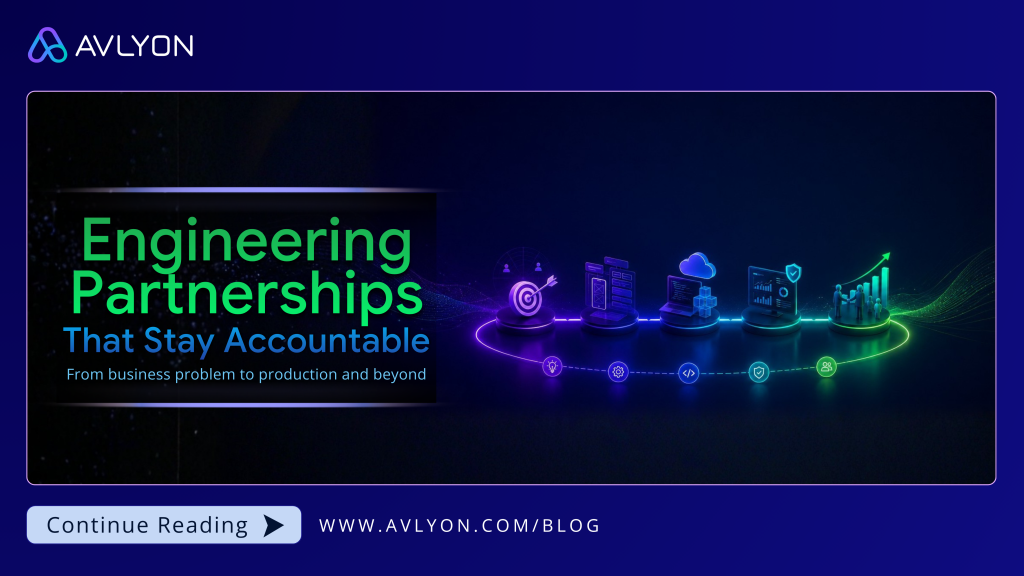
Rethinking the engineering partnership, from business problem to production and beyond. There is a pattern that most software engineering engagements follow. A client arrives with a set of requirements, an engineering partner builds against them, the product ships, and the relationship winds down until the next request comes in. This works. It has worked for years, and it will keep working for a certain kind of project. But it also leaves something on the table, for both sides. The Limits of the Requirements-and-Handover Model When engineering starts at the requirements document, it inherits every assumption baked into that document, whether or not those assumptions were ever tested against the real business problem. The engineering partner builds what was asked for. The client receives what was asked for. If the two are not quite the same thing as what the business actually needed, nobody finds out until after launch, when the cost of being wrong is highest and the least flexible to fix. There is also a quieter cost. Once the handover happens, the engineering partner’s stake in the outcome effectively ends: they deliver against spec, and what happens next, adoption, growth, revenue, becomes someone else’s problem to solve. That arrangement is clean on paper, but it is also the reason so many well-built products struggle after launch. The people who understood the system best are no longer in the room when it matters most. A Different Way to Engage There is a more strategic way to structure an engineering partnership, one that starts earlier and stays longer. It begins with the business problem itself, not the requirements document that follows it. Before any engineering decision gets made, the real question gets asked: what problem is this actually solving, and for whom. This matters because a requirements document usually describes one way of solving the problem, not the only way, and not always the best one. A partner who understands the underlying problem is in a position to propose a different approach that the client’s own requirements never considered, one that reduces cost, runs more efficiently, improves the user experience, or holds up better as things scale. Choosing the right technology from that vantage point often lowers engineering, scaling, and infrastructure costs well beyond what the original requirements accounted for. That kind of alternative rarely gets surfaced when the engagement starts at the document instead of the problem. From there, the engagement moves through a deliberate sequence. Business problem identification: Understanding what the client is actually trying to solve, and for which customer, before a single line of code gets written. MVP scoping: Defining the smallest version of the product that tests the real assumption, rather than the largest version the budget can support. Develop, deploy, and manage: Building the product, taking it to production, and operating it there, with full ownership of technical decisions, timelines, and quality, not just execution against a spec someone else wrote. Client onboarding: Carrying the product through to the people who will actually use it, so the transition from built to adopted does not fall into a gap between teams. The engineering partner owns this end to end. The client is free to focus on business development, sales, and growth, knowing the product itself is not something they need to manage day to day. This does not mean the partner stays forever, nor should it. As the product matures and stabilizes, and once the client builds sufficient engineering capability in-house to take it over, winding the engagement down is often the right call. If the client sees enough value to want the relationship to continue, that is a good outcome too. But even where the formal engagement winds down, staying available in an extended support capacity tends to benefit the client regardless, since the team that built the system remains the fastest path back to an answer if something unexpected comes up later. Why This Changes the Incentives The difference between this model and the traditional one is not really about process. It is about who has skin in the game. In a requirements-and-handover engagement, the engineering partner is measured against a spec. In an end-to-end engagement, the engineering partner is measured against whether the business problem actually got solved. That is a meaningfully different incentive, and it changes how decisions get made at every stage. Scoping gets more honest: A bloated first release helps nobody if it fails to prove anything, so the MVP stays focused on the real assumption. Production is designed in from the start: The team building it is the team taking it there, so shortcuts that only work in a demo do not make it into the build. Engagement does not stop at launch: Launch was never the finish line to begin with, so the partner stays accountable for what happens after, including the operational commitments that come with running in production. What This Requires in Practice Owning an engagement end to end is a different job from executing against a spec, and it shows up in specific, practical ways rather than just a philosophy. Architecture decisions get made with production in mind, not just the demo: Scaling, security, and failure modes get considered at design time, because the same team answers for them later. Observability and monitoring get built in, not added after something breaks: Production health should be visible from day one, so issues surface through monitoring before an end customer ever notices them, rather than the other way around. Support and maintenance commitments get built into the engagement, not negotiated afterward: When a partner is willing to back a solution with a multi-year managed and maintenance engagement, that is a concrete signal of confidence in what was built, not just a sales term. Onboarding is treated as part of delivery, not an afterthought: The people who will use the product day to day get trained and supported as part of the handover, not left to figure it out from documentation. None of this is unique to
Why Businesses Lose Customers After Hours and How AI Is Changing That
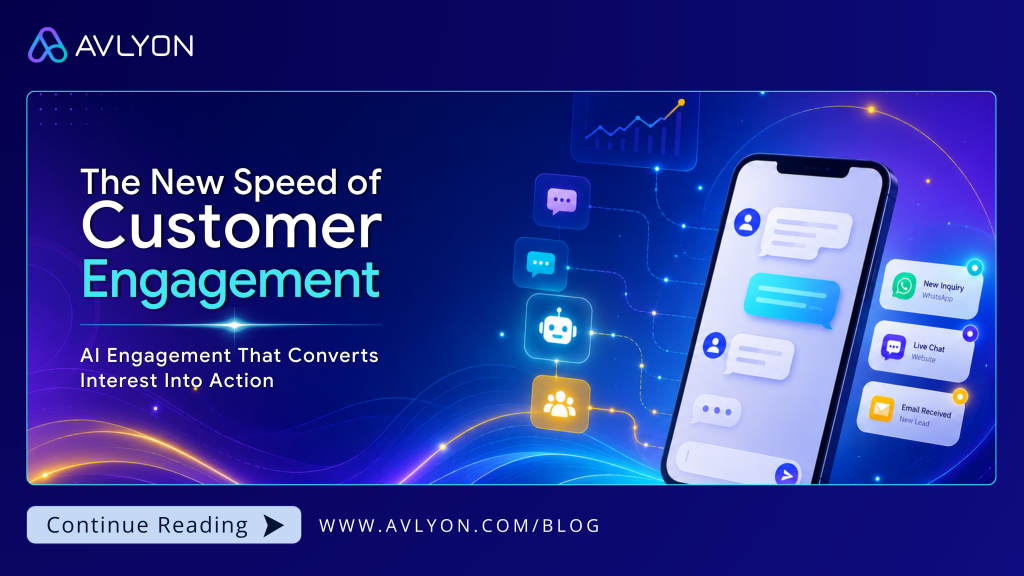
How AI engagement is helping businesses respond faster and convert more customers There is a moment most businesses know too well. A potential customer reaches out late in the evening, interested, ready to ask questions, and possibly ready to buy. No one responds. By the next morning, they have already moved on to a competitor who replied faster. The opportunity disappears quietly. Not because the product was weak or the pricing was wrong, but because the business was unavailable at the moment the customer was ready to engage. For many organizations, this is not a sales problem. It is a responsiveness problem. And in today’s digital environment, responsiveness has become one of the most important competitive advantages a business can have. The Attention Window Is Smaller Than Ever Customer attention moves quickly. Studies consistently show that response time directly affects lead conversion. A delay of even an hour can significantly reduce the likelihood of turning interest into action. Yet many businesses still rely entirely on human availability to manage customer engagement. The result is a gap between when customers reach out and when businesses are able to respond. That gap is becoming increasingly expensive. Today’s customers compare providers, explore alternatives, and make decisions faster than ever before. A customer who does not receive a timely response often does not wait. They simply move on. Businesses that fail to close the availability gap are not just slower. They become invisible at the exact moment customers are ready to engage. What Customers Expect Today Customer expectations have fundamentally changed. People now interact daily with digital experiences that provide instant updates, real-time answers, and personalized recommendations. Whether booking a service, ordering food, tracking deliveries, or exploring financial products, customers expect fast and relevant interactions regardless of the time of day. Those expectations do not disappear after business hours. Someone browsing at 11 PM expects the same level of responsiveness as someone reaching out at 11 AM. For businesses relying solely on human teams, this creates a structural limitation that becomes harder to scale as demand grows. Across industries, organizations gaining momentum are the ones finding ways to stay responsive throughout the customer journey, not only during working hours. How AI Is Reshaping Customer Engagement Artificial intelligence is making it possible for businesses to stay responsive without relying on large teams working around the clock. Modern AI engagement systems can now hold meaningful conversations with customers across platforms like WhatsApp, SMS, websites, and other messaging channels. They can answer questions instantly, qualify leads, guide customer inquiries, and connect high-value prospects to the right teams in real time. What separates today’s AI engagement from the chatbots businesses experimented with years ago is the quality of the interaction. Earlier systems often felt rigid and scripted. Modern AI tools can understand context, recognize customer intent, adapt responses dynamically, and deliver interactions that feel more natural and relevant. The goal is not to replace human relationships. It is to remove the friction that prevents those relationships from starting. Smarter Lead Qualification One of the biggest challenges for sales teams is identifying which inquiries deserve immediate attention. AI engagement systems can analyze conversation patterns, customer behavior, and engagement signals to prioritize leads automatically. Instead of manually filtering inquiries, teams can focus their time on prospects who show genuine buying intent. This reduces wasted effort while improving response speed where it matters most. Personalization at Scale Personalized engagement has always been valuable, but traditionally it has been difficult to scale consistently. AI changes that equation. Businesses can now tailor messaging based on customer preferences, behaviors, interaction history, and timing across thousands of conversations simultaneously. Customers receive interactions that feel relevant and timely without businesses having to expand support teams proportionally. As customer expectations continue to rise, personalization is quickly becoming a baseline expectation rather than a differentiator. Meeting Customers Across Multiple Channels Customers no longer engage through a single platform. Some prefer WhatsApp. Others respond better through SMS, websites, email, or social platforms. Businesses that force customers into one communication channel often create unnecessary friction. AI-powered engagement systems help organizations maintain a consistent presence across multiple channels at the same time, allowing customers to interact through the platforms they already use comfortably. This flexibility is becoming increasingly important as customer behavior continues to fragment across digital ecosystems. Industries Already Seeing the Impact The shift toward AI-powered engagement is already reshaping how businesses operate across multiple industries. Real Estate Property inquiries happen at all hours, often from buyers comparing multiple listings simultaneously. AI engagement allows agencies to respond immediately, answer common questions, qualify buyers, and schedule appointments without delays. Health and Wellness Clinics, gyms, and wellness providers manage large volumes of appointment requests, reminders, and customer follow-ups. Intelligent automation improves responsiveness while reducing administrative pressure on frontline teams. Restaurants and Hospitality Reservation inquiries, menu questions, and promotional campaigns require consistency and speed. AI engagement helps hospitality businesses maintain responsive customer interactions without overextending staff resources. Education Educational institutions often manage high inquiry volumes during enrollment periods. AI systems can guide prospective students, answer frequently asked questions, and identify inquiries requiring personal attention. Banking and Financial Services In industries where trust and responsiveness are critical, AI engagement supports faster communication, smoother onboarding experiences, and more accessible customer support while maintaining consistency and accuracy. What Effective AI Engagement Actually Looks Like Not every AI engagement system creates a better customer experience. Consistency With Brand Voice The best AI interactions feel like a natural extension of the business itself. Businesses should be able to define tone, messaging style, and communication guidelines so automated interactions reinforce brand identity rather than weaken it. Knowing When Human Support Matters AI works best when it recognizes its own limitations. Well-designed systems know when conversations require human judgment and can escalate interactions smoothly without frustrating customers. The transition should feel seamless rather than disruptive. Integration With Existing Workflows AI engagement should not operate in isolation. Systems that integrate with CRM platforms, sales tools, and operational workflows create a
How AI Is Reshaping Software Delivery: What Engineering Teams Need to Know
Separating real capability from the noise and what it takes to make AI work in modern delivery teams Artificial intelligence is changing how software gets built. It is changing how developers write code, how QA teams find defects, how project managers track risk, and how engineering leaders make architecture decisions. Most technology organisations already know this. The harder question is what to actually do about it, and in what order. The teams getting the most value from AI in software delivery are not the ones moving fastest. They are the ones that strengthened their engineering foundations first, then introduced AI where it compounded those strengths. The teams that skipped that step are discovering that AI amplifies weak processes just as readily as strong ones. This article covers where AI is genuinely delivering value in engineering today, where the capability is heading, where the risks are underappreciated, and what a disciplined adoption approach looks like for organisations that want to move forward without locking themselves into a cycle of rework and readjustment. The Shift That Is Already Happening Every major tooling shift in software engineering has forced teams to retrain, restructure, and rethink how they work. Version control, agile delivery, cloud infrastructure, DevOps practices: each one changed the economics of software development. AI-assisted engineering is the next shift, and it is compressing the adoption cycle faster than most previous ones. GitHub’s research suggests developers using AI coding assistants complete tasks significantly faster, with some scenarios showing a 55 percent improvement in task completion speed. More importantly, developers report spending less time on boilerplate, repetitive logic, and context switching, which frees capacity for the higher-value thinking that actually determines software quality. The gains are real. They are also conditional. Teams with clear code standards, disciplined review processes, and strong test coverage absorb AI tooling well. Teams without those foundations find that AI generates plausible-looking output faster than their review process can catch what is wrong with it. The tool does not create the discipline. The discipline has to come first. Start With First Principles, Not Tool Selection Most AI adoption inside engineering teams begins in the wrong place. Teams see what competitors are using, read what vendors are recommending, and make decisions by analogy. That approach tends to produce tooling that fits someone else’s problem rather than their own. First principles thinking asks a different set of questions before any tool is selected. What does excellent software delivery actually require in this organisation? Where does the delivery process break down today, and why? Which of those breakdowns are caused by a lack of information, which by a lack of speed, and which by a lack of discipline? Only once those questions are answered clearly does it make sense to ask which AI capabilities map to those specific gaps. This distinction matters more in AI adoption than in almost any previous tooling decision, for two reasons. First, the capability landscape is evolving fast enough that committing too early to a specific workflow or toolchain risks locking the team into an approach that becomes obsolete within months. Second, AI tools are persuasive. They produce output that looks correct. Teams without a clear first-principles picture of what good looks like will find it difficult to evaluate whether AI is genuinely improving their delivery or simply changing the shape of the problem. The organisations that apply first principles thinking to AI adoption end up asking better questions at every stage: not just which tool to use, but what capability the team actually needs, what the adoption risk looks like at their current maturity level, and what success looks like in measurable terms. That rigour is what separates a genuine improvement in delivery capability from a well-intentioned experiment that creates more noise than value. Where AI Is Adding Genuine Value in Delivery The public conversation about AI in software engineering tends to focus on code generation and autocomplete, as if those represent the ceiling of what the technology can do. They do not. The capability has moved considerably further, and understanding the full landscape matters for any team making adoption decisions today. Developer assistance and autonomous coding agents What began as autocomplete has evolved into systems capable of reasoning across entire codebases, proposing multi-file changes, writing and running tests against their own output, and iterating based on feedback. Autonomous coding agents can now take a clearly specified task and execute it end to end with minimal human input. This is a significant shift from a productivity tool to something closer to a junior contributor. The practical implication is that the quality of the specification matters as much as the quality of the prompt. Garbage in, garbage out has not changed. What has changed is the speed at which garbage gets produced. Automated code review and static analysis AI-integrated review tools surface potential issues, flag security vulnerabilities, suggest refactoring opportunities, and identify style inconsistencies before a human reviewer sees the pull request. More advanced implementations can reason about architectural intent, not just syntax, and flag changes that are technically correct but structurally problematic. This does not replace code review. It elevates the level at which human review adds value. Intelligent test generation and self-healing pipelines Beyond generating unit tests from existing code, newer capabilities include test suites that identify their own coverage gaps, detect flaky tests, and in some implementations update themselves when application behaviour changes in expected ways. For teams inheriting legacy codebases with low coverage, this changes the economics of technical debt remediation significantly. Documentation, knowledge capture, and onboarding AI tooling can generate inline documentation, summarise complex modules, map system dependencies, and produce onboarding material directly from existing code and conversation history. For organisations where key knowledge is concentrated in a small number of people, this has business continuity value that extends well beyond delivery efficiency. Incident analysis and autonomous debugging AI systems can now analyse logs, correlate error patterns across distributed systems, propose likely root causes, and in some cases suggest or apply fixes
Elevating Digital Success With User Centred UI and UX

Designing Experiences That Empower Users and Drive Business Growth
Corporate Treasury Automation and Why It Matters Today

Treasury teams face increasing pressure to deliver real time cash visibility and accurate reporting, yet many still depend on spreadsheets and manual workflows. Discover how modern automation transforms treasury operations and strengthens financial stability.
Choosing the Right Tech Stack
Choosing the Right Tech Stack A Guide for Your Next Project: Choosing the right tech stack for your next project can be a game-changer. With so many options available, from programming languages and frameworks to databases and hosting solutions, selecting the right combination of technologies can make or break your project’s success. Whether you’re building a small business website, a scalable enterprise software, or a dynamic web application, understanding the essentials of tech stack selection is crucial. Understanding the Tech Stack Basics A tech stack refers to the combination of tools, languages, frameworks, and services used to build a software application. It typically consists of two major parts: Front-End (Client-Side): The front-end is what users interact with. Common technologies include HTML, CSS, JavaScript, and libraries like React, Angular, or Vue.js. Back-End (Server-Side): The back-end powers the application behind the scenes. Popular choices include Node.js, Python, Ruby on Rails, or Java. Additionally, databases like MySQL, PostgreSQL, or MongoDB are integral to back-end development. 1. Defining Your Project’s Goals and Requirements The first step in choosing the right tech stack is clearly defining your project’s goals. Are you building an e-commerce platform, a SaaS application, or a mobile app? Identifying your project’s purpose and audience will influence your tech choices. For instance, if scalability is crucial, you’ll want a cloud-native development approach. Similarly, if speed and agility are key, opting for Agile development practices paired with lightweight frameworks can keep your project moving efficiently. 3. Scalability and Future-Proofing If your project has the potential to grow over time, scalability should be a priority. A tech stack like Python with Django or JavaScript with Node.js can help you build scalable and robust applications. These languages are known for their performance and ability to handle increasing workloads as your application grows. Additionally, consider microservices architecture when thinking about scalability. It allows different components of your application to scale independently, making it easier to handle traffic spikes and rapid growth 4. Technology Community and Support Another important factor is the strength of the community and support surrounding a particular technology. Technologies with active communities, such as React.js or Python, have plenty of documentation, tutorials, and third-party libraries, which can reduce development time and help you solve issues faster. At Avlyon, we prioritize robust, well-supported technologies to deliver custom software solutions that meet both current and future needs. Our expert team stays up-to-date on the latest trends to help clients choose the best tech stack for their projects. 5. Testing and Security Security is a critical consideration for all applications. Make sure the technologies you choose prioritize secure coding practices and offer robust testing frameworks. For example, Java is known for its secure environments, while Node.js offers plenty of built-in security tools to prevent vulnerabilities. Conclusion Choosing the right tech stack for your project involves balancing several factors, including project goals, budget, scalability, security, and community support. There’s no one-size-fits-all solution, so understanding the strengths and trade-offs of different technologies is key to making informed decisions that ensure long-term success. For businesses looking for expert guidance, Avlyon Technologies offers customized software engineering solutions and web development solutions to help you choose and implement the ideal tech stack, ensuring your project’s future growth, security, and performance.
Adopting Software Solutions
Adopting Software Solutions How Businesses Should Approach It? In today’s fast-paced digital world, businesses of all sizes are increasingly turning to software solutions to optimize operations, enhance productivity, and drive growth. However, choosing and adopting the right software solution isn’t just about finding a tool that works; it’s about ensuring it aligns with the broader goals and strategies of the business. Here’s a comprehensive guide on how businesses should approach adopting software solutions, focusing on key criteria and areas to evaluate. 1. Clearly Define the Problem You’re Solving The first and most critical step is to understand the problem your business needs to solve. Without a clear understanding, you may end up with a solution that doesn’t address your core challenges. Key questions to ask: What specific issues are hindering your business? (e.g., slow customer service, inefficient inventory management) What business processes need improvement or automation? Are there bottlenecks in your current system or workflow that need to be addressed? By clearly defining the problem, you can ensure that any software solution you evaluate is aligned with your specific needs. 2. Align Software with Business Goals Any software solution you adopt should not only solve immediate problems but also support long-term business goals. Consider how the solution fits within your overall strategy: Growth: Will this software scale as your business grows, or will you need to replace it soon? Customer Satisfaction: Does it improve the customer experience, reduce friction, or speed up service delivery? Cost Efficiency: Will it help reduce operational costs by streamlining workflows or improving resource management? Aligning the software solution with your goals ensures that it becomes a tool for long-term success, rather than a short-term fix. 3. Understand User Needs and Involvement In many cases, businesses adopt software without considering the needs and feedback of the end-users—often employees who will interact with the system daily. This can lead to resistance and low adoption rates. To avoid this: Involve key stakeholders early: Get feedback from teams or departments that will use the software. Their insights will help in choosing features that enhance their productivity. Ease of use: Choose software with an intuitive interface. Complex software with steep learning curves can reduce employee efficiency and morale. Training and support: Consider what kind of onboarding and ongoing training is available. A well-supported software solution can lead to faster adoption and better user satisfaction. 4. Evaluate Integration with Existing Systems Many businesses already use various software tools for accounting, CRM, project management, etc. When adopting a new software solution, ensure it integrates seamlessly with your existing systems: Data flow: Does the new software allow data sharing between your current tools (e.g., integrating your CRM with your marketing automation tool)? APIs and connectors: Does it support APIs or third-party connectors for smooth integration? Avoiding duplication: Ensure the software doesn’t replicate the functionality of your existing systems, as this can lead to confusion and inefficiencies. 5. Assess Scalability Your business needs today may not be the same in the future. The software you choose should be flexible and scalable, able to adapt as your business evolves: Cloud-based vs. on-premise: Cloud-based solutions typically offer more flexibility, enabling you to scale your usage without needing additional infrastructure. Modularity: Can you add or remove features as your business grows or changes? User capacity: How easily can the software handle increased users or data as your business expands? Choosing a scalable solution ensures you won’t outgrow your software too quickly, saving time and costs in the future. 6. Consider Security and Compliance Security should be a top priority when adopting any software solution, especially when dealing with sensitive customer data or proprietary business information. Evaluate: Data security: Does the software offer encryption for data at rest and in transit? Are there multi-factor authentication options? Compliance: Does it meet industry-specific regulations (e.g., GDPR, HIPAA)? Regular updates and patches: Is the software vendor committed to security updates and patches to guard against evolving threats? Choosing secure and compliant software can help you avoid legal issues, data breaches, and reputational damage. 7. Cost vs. Value When evaluating software, it’s essential to look beyond the price tag. Consider the total cost of ownership (TCO) and the value it delivers: Upfront costs: This includes licensing fees, initial setup, and training. Ongoing costs: Factor in maintenance, upgrades, and support services. Subscription-based software may have recurring costs that increase over time. Return on Investment (ROI): Will the software save time, reduce manual errors, or enhance productivity enough to justify its cost? A high-value software solution may have a higher initial cost but save you money in the long term. 8. Vendor Support and Reliability Choosing a reliable software vendor is just as important as choosing the software itself. Evaluate: Support services: Does the vendor offer 24/7 support? Do they provide live chat, phone support, or a dedicated account manager? Uptime guarantees: Look for vendors that offer uptime guarantees and have a track record of reliable service. Regular updates: A good vendor provides regular software updates with new features, bug fixes, and security enhancements. Strong vendor support ensures that any issues you encounter can be resolved quickly, minimizing disruptions to your business. 9. Test with a Trial or Pilot Program Before fully committing to a software solution, consider running a trial or pilot program to assess its suitability in real-world scenarios: Trial period: Many software providers offer free trials. Take this opportunity to test key features and involve your team. Pilot program: If you’re rolling out a large solution, consider deploying it with a small group first. Gather feedback, make adjustments, and address any challenges before full implementation. This allows you to validate the software’s performance without the risk of committing resources to a system that may not meet your needs. 10. Plan for Change Management Introducing new software often requires a shift in workflows, processes, and team dynamics. To ensure a smooth transition: Communication: Clearly communicate the benefits of the new software and how it will impact day-to-day operations. Training: Provide comprehensive